Losing your phone is a headache, but losing your entire contact list can be an absolute nightmare. Whether you are upgrading to a new device, switching custom ROMs, or safeguarding against accidental deletions, having a reliable contact backup strategy is essential. Therefore, this guide covers the top 11 contact backup apps for Android and answers some of the most frequently asked questions.
Here are 11 Android contact backup apps. Read through their pros and cons for selection.
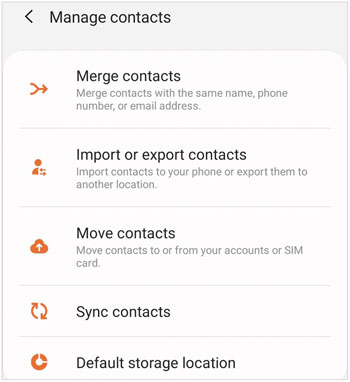
This is the default address book application pre-installed on your Android device by the manufacturer (such as Samsung, Google, Xiaomi, etc.). It provides essential tools to organize your phone numbers and offers basic local import and export functionalities directly in the system settings.
+ Completely free to use with absolutely no hidden fees or upgrades.
+ 100% ad-free and contains zero third-party tracking scripts.
+ Works entirely offline without requiring any network connectivity.
+ Pre-installed on the system, saving you precious internal storage space.
- Lacks automated background backup schedules to protect your ongoing data.
- Backups are saved locally, meaning they are lost if the hardware breaks.
- Features vary significantly depending on the device manufacturer's skin.
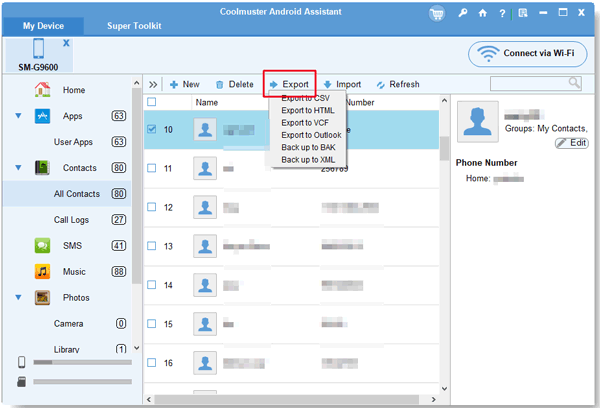
Samsung Messages Backup is a professional desktop-based software suite that connects your Android phone to a computer via USB cable or local Wi-Fi. It allows users to manage, preview, and transfer mass contact lists seamlessly between their mobile devices and a PC or Mac. It also enables you to back up all your contacts at once to your computer and restore the backup data to Android without any hassle.
+ Supports exporting contacts into versatile formats including HTML, CSV, VCF, BAK, and XML.
+ Allows you to easily view, add, delete, or edit contact details from your desktop.
+ Provides highly stable and secure local backups that do not rely on cloud servers.
+ Features a 1-click backup system to clone your entire address book instantly.
+ Transfers other data types like text messages, call logs, installed apps, photos, videos, etc.
+ Supports most Android devices, including Samsung, OPPO, Vivo, Xiaomi, Honor, Google, Motorola, TCL, Infinix, OnePlus, etc.
+ No ads.
- Requires access to a computer to perform or restore any data backup.
- The free version is highly restricted, and the full license is a paid investment.
Download this contact backup app on your computer.


Step 1: Download and install Samsung Messages Backup on your computer, and open it. Then connect your Android device to the computer with USB.
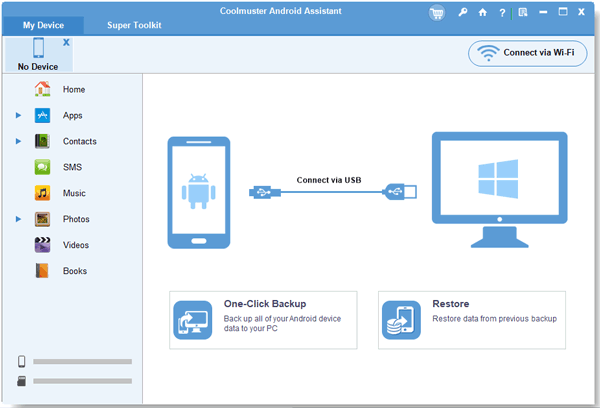
Step 2: Chooe "File transfer" on the USB settings, and enable the USB debugging mode by following the on-screen guide. Then the software will recognize your device.
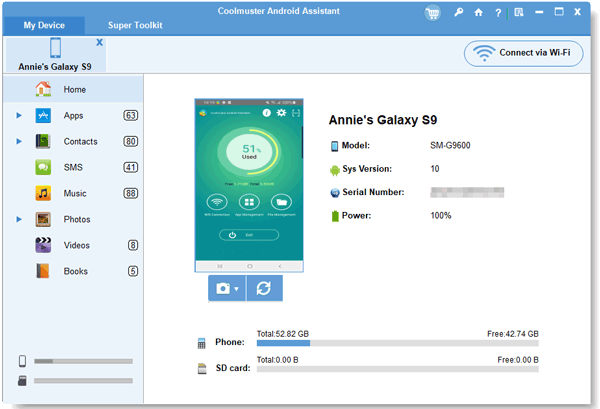
Step 3: Choose the "Contacts" option, and select the specific contacts you want to back up. Then click "Export" > opt for a format, and save the file to the computer. Once done, you can view your contact on the PC.
Samsung Backup and Restore is a dedicated desktop software utility designed to create absolute, local clones of your Android phone's data on a PC. It specializes in one-click data transfers, allowing you to seamlessly back up and restore your entire contact book alongside text messages, call histories, photos, and apps via a secure USB or Wi-Fi connection.
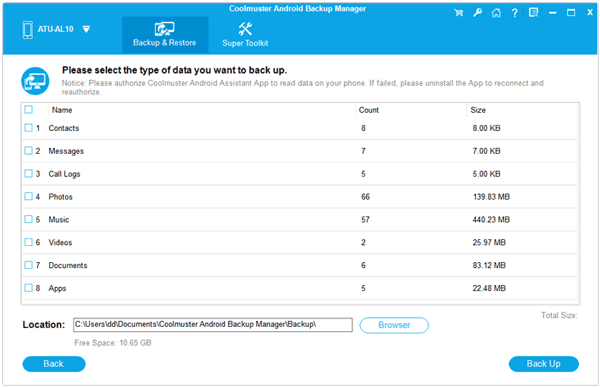
+ Features a highly efficient 1-click backup and restore function that handles thousands of contacts instantly.
+ Keeps your contact data entirely offline on your computer, ensuring high privacy and protection from cloud data breaches.
+ Displays a clear, categorized checklist data panel on the screen so you can choose exactly what to back up.
+ Maintains the absolute integrity of contact details, including profile pictures, addresses, job titles, and custom notes.
+ Supports Android 6.0 or later and no brand restriction.
- Completely relies on a computer (Windows or Mac PC) to execute or access any backups.
- The free trial supports backup only, but the restoration feature requires a paid license.
- No data preview.
Download the one-click Android contact backup app.
Google Contacts is Google's official contact management app, which comes tightly integrated into the vast majority of modern Android devices. It works silently in the background to automatically synchronize every new phone number, email address, and profile directly to your secure Google Account cloud.
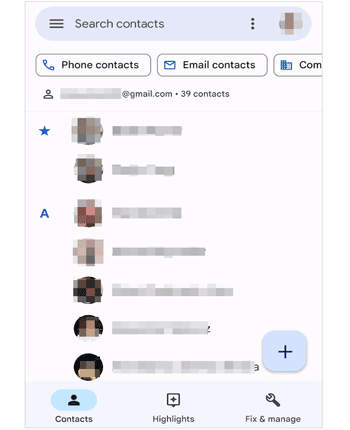
+ Offers seamless, automatic real-time cloud synchronization without manual input.
+ Makes moving to a new phone incredibly effortless by simply logging into your Gmail.
+ Accessible from any web browser globally by visiting the official website.
+ Includes excellent built-in clean-up tools to merge duplicate names or numbers.
- Fails to sync or update your contact changes without a stable internet connection.
- Tied heavily to the Google ecosystem, which might not suit privacy-conscious users.
- Can occasionally create confusion if you accidentally sync multiple different Gmail accounts.
Contacts Backup and Restore is a lightweight and highly dedicated mobile utility designed for users who want a quick, distraction-free way to save their address book. It focuses purely on creating backup files with a single tap, which can then be manually shared or saved wherever you like.
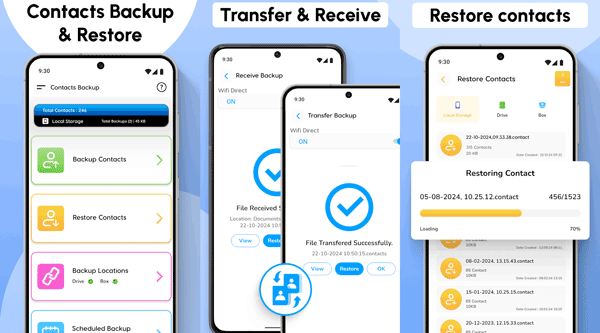
+ Features an incredibly simple, lightweight, and easy-to-use interface.
+ Allows you to quickly email the backup file to yourself or upload it to your personal cloud.
+ Creates universal files that can be opened on almost any platform.
+ Requires very minimal system permissions to operate securely.
- The free version contains frequent, disruptive advertisements.
- Lacks advanced automation, meaning you must remember to back up manually.
- Does not provide internal cloud hosting, forcing you to use external apps to store files.
Contact Backup is an efficient, utility-focused mobile application that specializes in converting your entire contact list into offline documents. Beyond standard mobile formats, it is widely popular for its unique ability to compile contact files into easily readable document types.
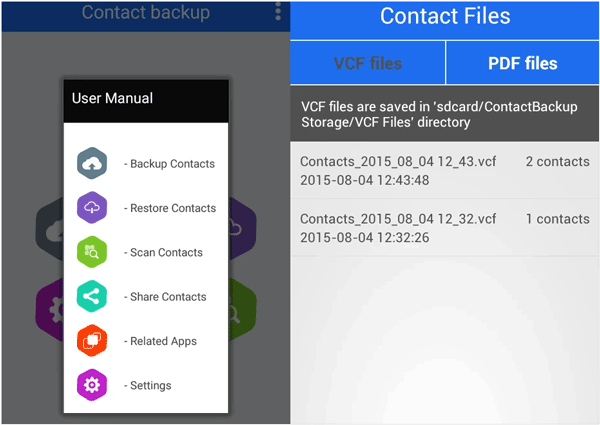
+ Can export your entire contact directory directly into PDF, Excel, or CSV sheets.
+ Highly useful for printing out a physical copy of your important phone numbers.
+ Operates fully offline to ensure your private data never leaves the device.
+ File sharing is incredibly straightforward via email or messaging apps.
- The visual design of the app feels old and unpolished.
- Does not support automated cloud backups or scheduled background tasks.
- Managing a massive list of thousands of contacts can sometimes cause the app to slow down.
Super Backup & Restore is one of the longest-standing and most popular data preservation tools available on the Google Play Store. It is a comprehensive data management suite that backs up not only your phone contacts but also your text messages, call logs, calendar events, and application files.
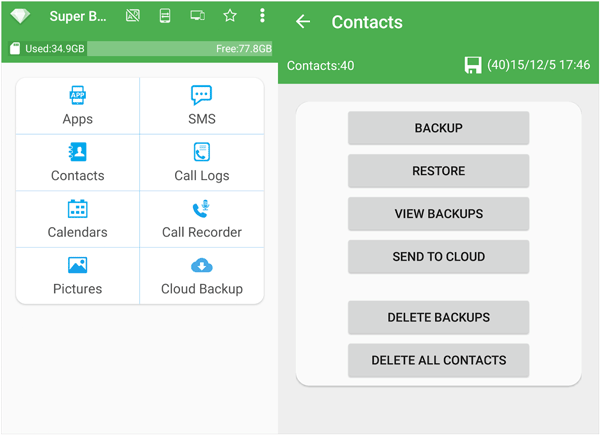
+ Allows you to schedule automatic background backups to run daily or weekly.
+ Can automatically upload your completed backup files directly to your Google Drive or Gmail.
+ Offers a wide range of backup capabilities beyond just basic phone contacts.
+ Very reliable and time-tested performance across many generations of Android.
- The user interface contains intrusive banner and full-screen pop-up ads.
- The sheer number of technical options can feel overwhelming to casual users.
- Requires a long list of system permissions to handle different types of phone data.
Fossify Contacts is a modern, open-source contact application built by the privacy community as a secure alternative to tracking-heavy tools. It functions as a complete daily dialer and contact manager that keeps your data strictly local and safe from big-tech algorithms.
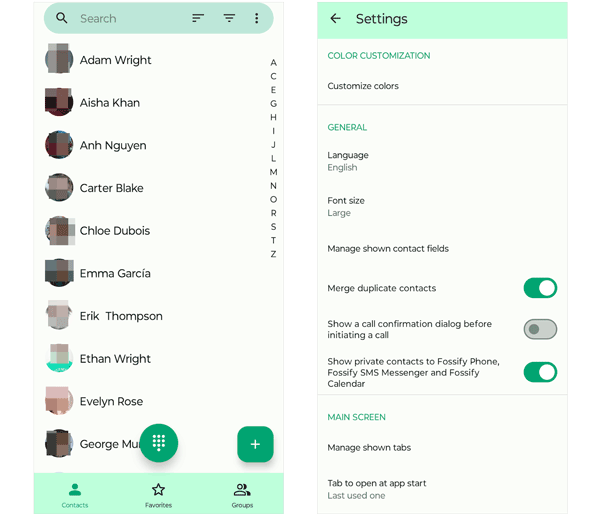
+ Entirely open-source, ensuring complete transparency with no hidden tracking software.
+ 100% free of charge and completely free of annoying advertisements or corporate pop-ups.
+ Does not require a network connection or a cloud profile to store your data.
+ Features a beautiful, clean, modern Material You interface that matches your phone's theme.
- Does not offer any native, built-in cloud syncing capabilities out of the box.
- You must manually copy and move your backup files to keep them safe from hardware loss.
- Lacks advanced enterprise features like direct integration with corporate networks.
Swift Backup is a premium, high-performance backup tool designed primarily for Android enthusiasts, power users, and the rooting community. It provides a beautiful dashboard to back up your contact files alongside your system apps, network configurations, and personal customization profiles.
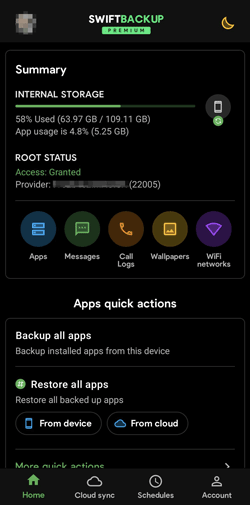
+ Features a modern, fast, and visually stunning user interface.
+ Supports uploading data to diverse cloud options like Google Drive, OneDrive, and Nextcloud.
+ Incredibly fast upload and download speeds when backing up or restoring data.
+ Ideal for users who frequently switch phones or install custom software.
- Many of the most useful features are locked behind a paid premium subscription model.
- It is far too complex and contains excessive features if you only want to save contacts.
- Certain advanced functions require root access to work properly on your phone.
Outlook Contacts is not a standalone application, but rather a powerful cloud-synchronization feature built directly into the official Microsoft Outlook email and calendar app. It allows users who possess a Microsoft 365, Exchange, Outlook.com, or Hotmail account to seamlessly sync their cloud-based address books directly into the native Android system contact database.
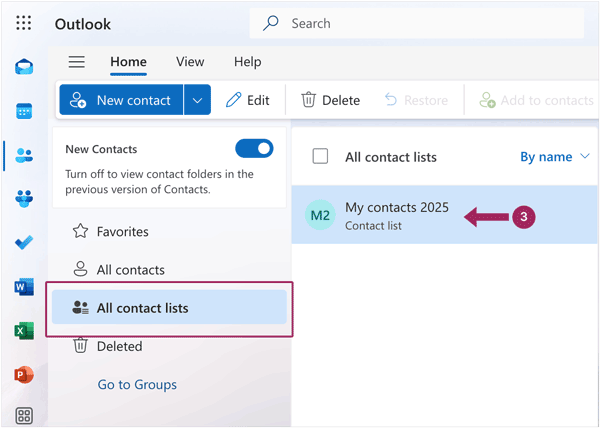
Perfect for corporate and enterprise environments that rely heavily on the Microsoft ecosystem.
Seamlessly separates professional business contacts from your personal phone storage directory.
Provides highly secure cloud backup backed by Microsoft's enterprise-grade security infrastructure.
Automatically links your synced contacts with your corporate email calendar schedules and task lists.
Is not a standalone contact app; you must install and run the full Microsoft Outlook email client to use it.
Cannot back up or export contacts that are saved locally on your phone storage or your SIM card, so you need to import the data manually.
Requires a Microsoft-hosted email account to utilize the background synchronization engine.
Running a full-scale email suite in the background can consume more battery and system resources than a dedicated backup utility.
Simpler Backup is an elegant mobile application that simplifies the backup process down to a single screen. It strips away complicated technical jargon and focuses purely on fast, one-tap data protection and maintaining a clean, error-free address book.
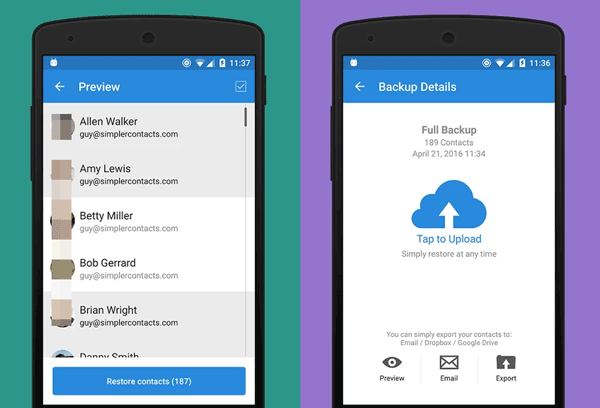
Offers an incredibly intuitive and user-friendly interface that anyone can navigate.
Features an exceptional automated tool to detect and clean up duplicate phone numbers.
Allows you to quickly send your backed-up address book via email with one touch.
Provides its own secure offline backup storage mechanism inside the phone.
Several core features require an in-app purchase to unlock permanently.
Requires you to set up a specific app account to use its cloud storage options.
Lacks the advanced file customization settings found in power-user applications.
Q1: Can I restore the backup contacts to another Android device?
Yes, absolutely. Nearly every backup app on this list utilizes the universal .vcf (vCard) format. You can easily share this file via email, Bluetooth, or cloud storage to another Android device.
If you use Samsung Messages Backup, you can connect the target device to the same computer, and restore the backup contacts directly. If you use cloud solutions like Google Contacts, simply logging into the same account on your new device will restore them automatically.
Q2: Can I view and access the backup contacts?
Yes, depending on how you back them up.
Apps like Samsung Messages Backup and Contact Backup, allow you to export your list as an Excel CSV, XML, or HTML file, making it incredibly easy to read, search, and print on a computer.
Q3: Can I export my entire contact list at once?
Yes. Every app mentioned in this guide is built to handle batch exports. Whether you have 50 contacts or 5,000, features like the native Android "Export to .vcf" or the one-tap backup buttons in apps like Samsung Messages Backup, Super Backup, and Simpler Backup will bundle your entire address book into a single file within seconds.
Securing your contacts doesn't have to be complicated. If you prefer an automatic approach, Google Contacts is your best bet. If privacy is your top priority, you can use Samsung Messages Backup or Samsung Backup and Restore to save all your Android contacts to your computer. Anyway, pick the app that best fits your workflow, run a backup today, and ensure you never lose touch with your social network.
Related Articles
How to Remove Duplicate Contacts in Android Smoothly | 5 Ways [Updated]
How to Export Android Contacts to Excel: 4 Viable Approaches
How to Transfer Contacts from Android to Android Easily? [Solved]
4 Methods to Import VCF to Android Expertly: Get Contacts Onto New Phone

Sophie Green, Chief Editor of Samsung-messages-backup website, has been focusing on the realm of Android Recovery, Android Transfer (Backup), Android Device Tips, Phone Clean, and Phone Transfer technologies. Recognized contributions on leading platforms attest to her esteemed expertise and reliability.
Copyright © samsung-messages-backup.com All Rights Reserved.